
ASB Nexus · RangeCue RC-1 Touch
The programmable range timer, to the tenth of a second.
Sunlight-readable touch screen, five keys, a loud buzzer and spoken range commands in French or English. Build programs on the device itself, or in RangeCue Studio over cable, Bluetooth or Wi-Fi.
Prototype 2026 · not for sale yet
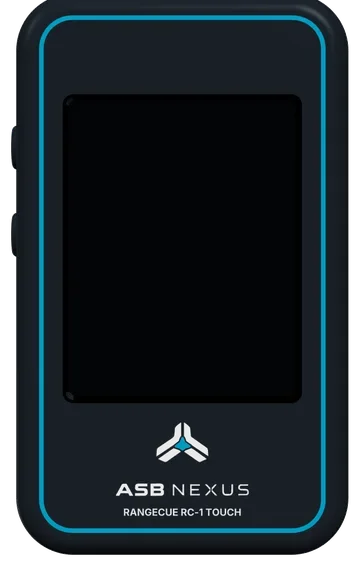
Made for the range
Everything works on the device, with no phone and no network. The studio just makes it faster.
To the tenth of a second
Steps from 0.1 s to 99 min, repeat blocks (series, stages), steps that wait for START. Up to 20 programs stored.
Touch and five keys
Everything the touch screen does also works with the keys. Touch On/Off, Touch Lock (hold 1.5 s) and automatic lock while a program runs.
Loud and clear
A 105 dB buzzer (component rating, at 30 cm) for signals, and a 1.2 W speaker for spoken range commands (Attention, Fire, Cease fire…). Countdowns and messages: beeps and screen.
French and English
Screen in French or English, picked at first start. The language of the spoken commands is set on its own: an English screen with French commands works.
Readable in the sun
2.4" IPS screen at 960 cd/m². Resistive touch: a firm press counts, a light brush does not.
RangeCue Studio
USB-C cable, Bluetooth or the device’s own Wi-Fi. Nobody changes your timer without a code confirmed on the device.
Battery always on screen
Battery percentage always shown, USB-C charging, 1100 mAh battery.
Safe updates
Firmware updates from the studio. If an update does not start, the device goes back to the previous version by itself.
The device interface
Captures from the device simulator (prototype firmware).
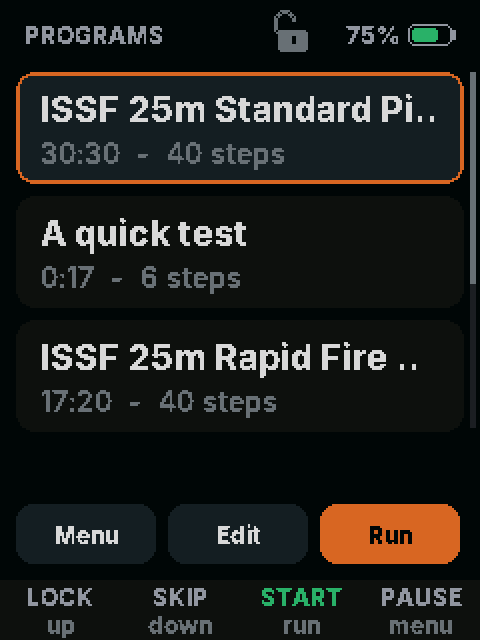 Program list
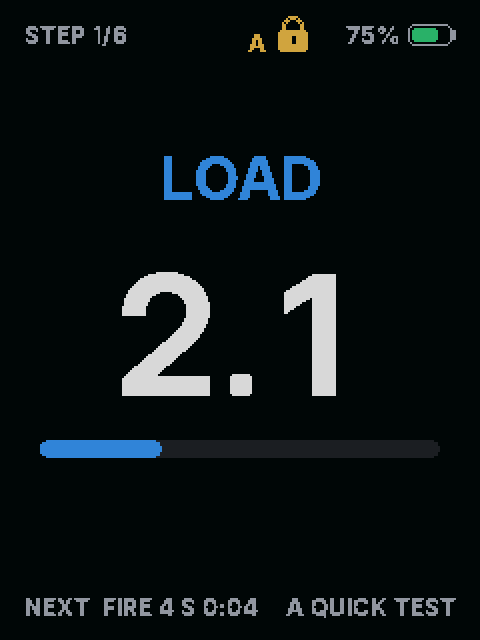 Program running
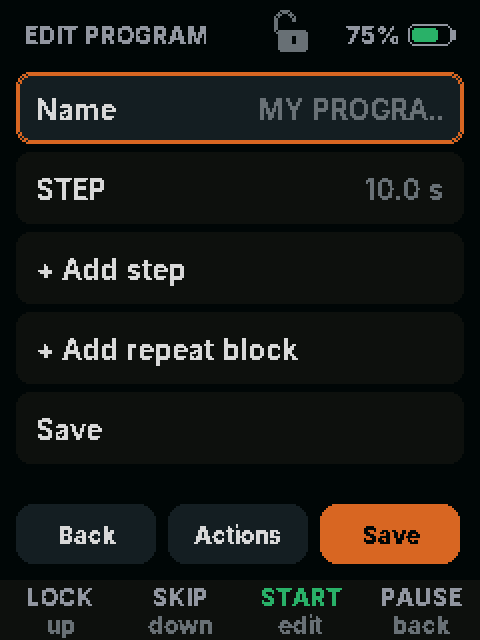 Editing a program
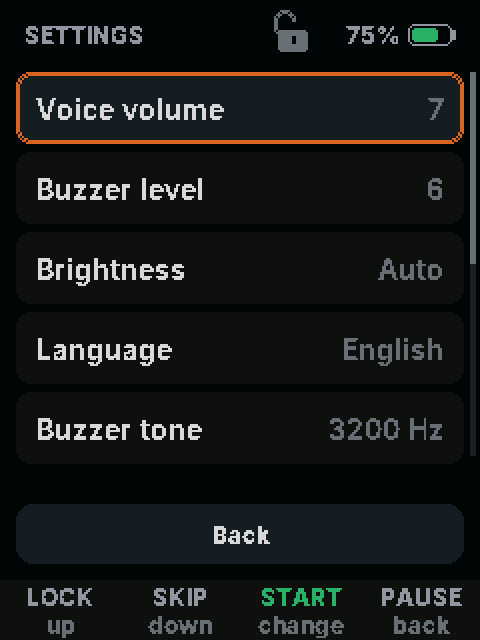 Settings
Three case finishes
All three carry the full ASB Nexus design on the front and the back.
-
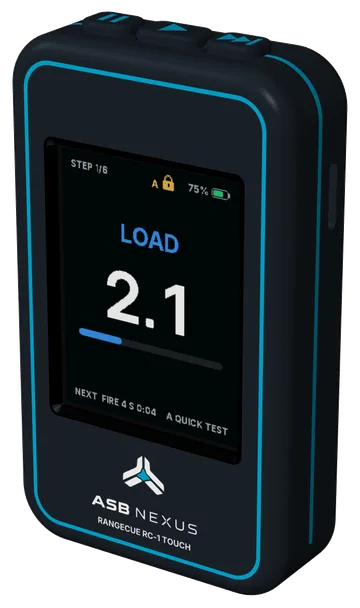
A · Full colour
Shells and keys printed in full colour, cyan key icons.
-
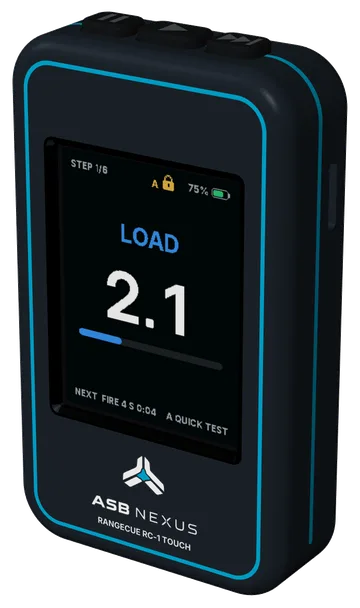
B · Colour shells, plain keys
Shells printed in full colour, black resin keys with engraved icons.
-
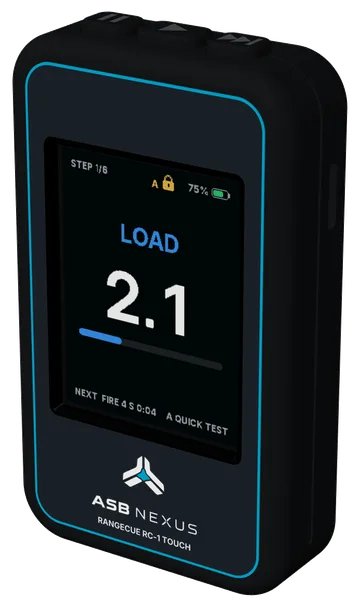
C · Plain shells, colour plates
Matte resin shells (white or black) with 2 mm full-colour front and back plates.
Specifications
- Screen
- 2.4" IPS, 240 × 320, 960 cd/m², 4-wire resistive touch
- Keys
- 5: Pause, Start and Skip on top; Power and Touch Lock on the left side
- Signals
- Buzzer 105 dB at 30 cm (component rating); 1.2 W, 8 Ω speaker for spoken range commands
- Voice and screen
- French and English; the voice speaks range commands only, in a language independent of the screen language
- Programs
- Up to 20; steps from 0.1 s to 5940 s in 0.1 s steps; up to 2400 steps per program once blocks are repeated
- Processor
- ESP32-S3 (16 MB flash, 8 MB PSRAM)
- Connections
- USB-C (charging and data), Bluetooth LE, Wi-Fi (the device’s own access point)
- Battery
- 1100 mAh Li-Po, USB-C charging, percentage always shown
- Size
- 58 × 98 × 22 mm
- Case
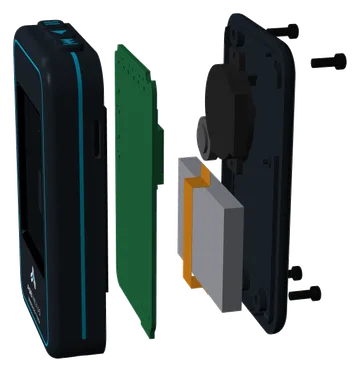
- 3D-printed resin, 4 screws, lanyard holes
- Firmware
- 2.0.0, updates from the studio with automatic rollback if an update fails
Not waterproof: keep the device out of rain and splashes. No certification is claimed for this prototype.
RangeCue Studio
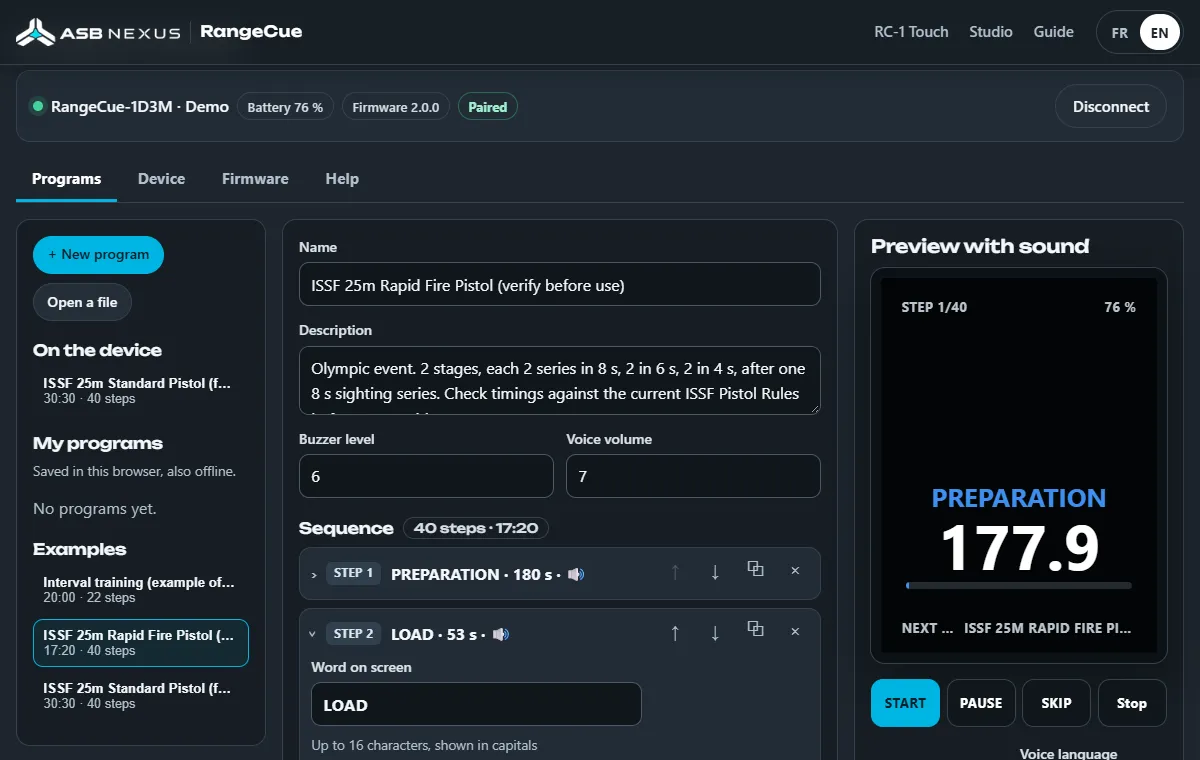
Build and listen to your programs in the browser, then send them to the device.
- Steps to the tenth of a second, repeat blocks, spoken range commands, buzzer and countdown
- Preview with sound: buzzer and range commands in French or English
- Device settings: languages, volume, brightness, touch, Touch Lock
- Files, share links and QR codes
- Works offline once loaded
- Firmware updates
Which browser?
Cable and Bluetooth: Chrome or Edge on a computer, Chrome on Android. iPhone, iPad, Safari and Firefox: use the device’s Wi-Fi; the device serves the studio page itself.
Downloads
Guides, firmware and example programs.
Questions
Do I need a phone or a computer?
No. Programs are created and edited on the device, with the touch screen or with the keys alone. The studio is a bonus.
Does it work with an iPhone?
Yes, through the device’s Wi-Fi: in Settings › Studio link choose Wi-Fi, join the RangeCue-XXXX network, and the studio page opens. Safari on iPhone allows neither cable nor Bluetooth from a web page.
Can someone change my timer without me knowing?
No. A studio must be paired first: the device shows a code and you press START to accept. Until then the studio can only read.
Is it waterproof?
No. It has no water protection. Keep it out of the rain.
Can the screen be in English and the voice in French?
Yes. Screen language and voice language are set separately, on the device or in the studio.
How do I update the firmware?
From the studio (Firmware tab), over cable, Bluetooth or Wi-Fi. The update is written to a second partition: if anything goes wrong, the device goes back to the previous version. Your programs and settings are kept.
Where can I buy it, and how much is it?
The RC-1 Touch is a prototype and is not for sale yet. Write to contact@asbnexus.com if you are interested.
Contact us
A question about RangeCue? Write to us in English or French.
- Supportsupport@asbnexus.com
- General questionscontact@asbnexus.com
- Privacyprivacy@asbnexus.com