
First start and running a program
First start: choose the language
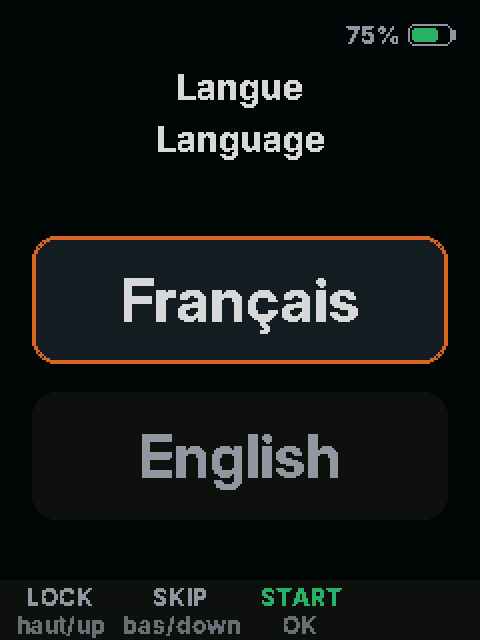
The first time you switch the timer on, it asks Langue / Language. Choose Français or English with SKIP or LOCK and confirm with START, or tap your choice. This sets both the screen language and the voice language. You can change each one later in Settings.
The program list
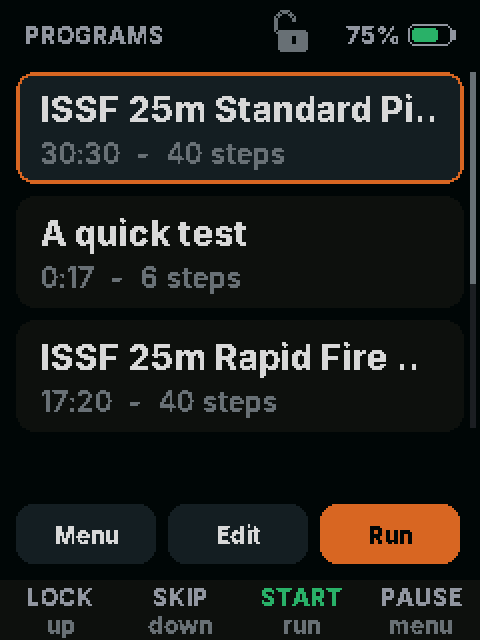
The program list is the home screen. Each card shows the program name, its total time and its number of steps. A new timer comes with the factory program ISSF 25m Standard Pistol first in the list.
- LOCK / SKIP: move up / down. START: run the highlighted program.
- Hold START 0.7 s (or long-press a card): the program’s actions menu (run, edit, rename, duplicate, move, delete).
- PAUSE: the main Menu.
- Touch: tap a card to select it, tap it again to run it. The Menu, Edit and Run buttons sit above the key bar.
The status bar at the top of every screen shows the title, the touch lock icon and the battery percentage.
Running a program
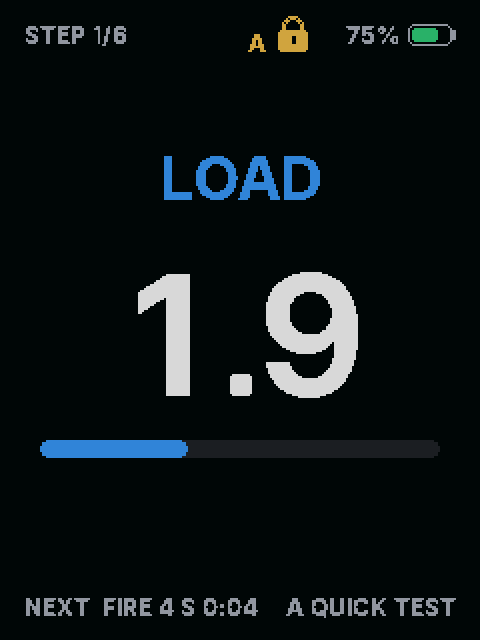
Select a program and press START. The run screen shows:
- at the top: the step number (for example STEP 1/6) or the series counter of a repeat block, the lock icon and the battery;
- in the middle: the word on screen for the step (for example LOAD, FIRE, REST), the time left to the tenth of a second and a progress bar;
- at the bottom: the next step and its duration (or LAST STEP) and the program name.
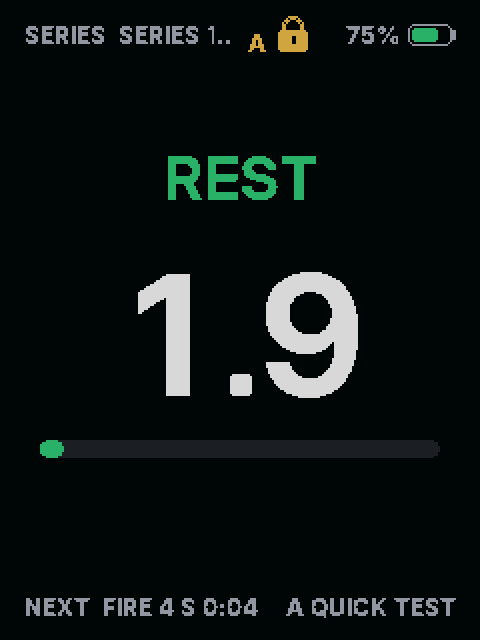
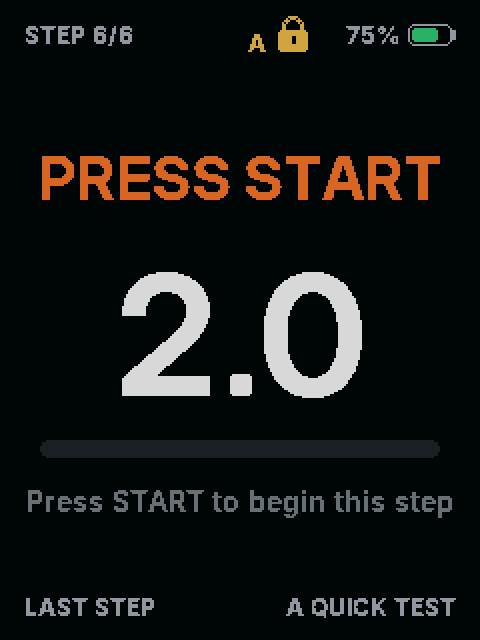
Each step can sound the buzzer at its start and at its end, beep each second at the end (countdown beeps), and say a range command such as “Load” or “Fire”. A step either starts automatically when the previous one ends, or waits for START (“Press START to begin this step”).
The simulator screens here show a short test program that exists only in the simulator; your timer shows your own programs.
Controls during a program
| Key | Short press | Hold |
|---|---|---|
| START | Go (step waiting for START) / resume (paused) | Restart the current step |
| PAUSE | Pause / resume | 1.5 s: stop the program |
| SKIP | Next step | Jump to the next series (repeat) |
| TOUCH LOCK | Shows how to lock | 1.5 s: lock / unlock touch |
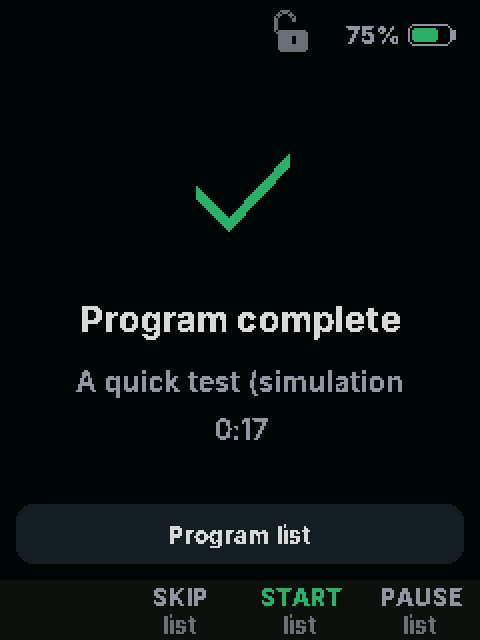
While paused, the screen shows PAUSED – START to resume; sound stops at once. When you stop a program, the Program stopped screen offers Restart (START) or List (PAUSE or SKIP). At the end, Program complete shows the program name and its total time; any key or a tap returns to the list.
A studio cannot pair with the timer while a program runs, and program changes sent from a studio are loaded when the program ends.