
Creating a program on the device
You can build and change programs on the timer itself, by touch or with the keys only. No phone, computer or network is needed. Programs are saved in the timer’s memory and stay there when it is switched off.
How a program is built
- A program has a name and a list of steps.
- A step has a word shown on screen, a duration (0.1 s to 99 minutes, in 0.1 s steps) and its sounds.
- A repeat block groups steps and runs them several times (1 to 99), for example 5 series of “LOAD – FIRE”. Its counter word (Series, Round, Set, Stage, Lap) is shown at the top of the run screen.
Limits: 20 programs on the timer; per program 200 steps, 48 blocks and 2400 steps once the blocks are repeated.
Start a new program
- Program list › PAUSE (Menu) › New program. The editor opens with a program called “MY PROGRAM n” and one step.
- To change an existing program instead: hold START on it › Edit steps.
- To start from the factory program: Duplicate it first, then edit the copy.
The editor
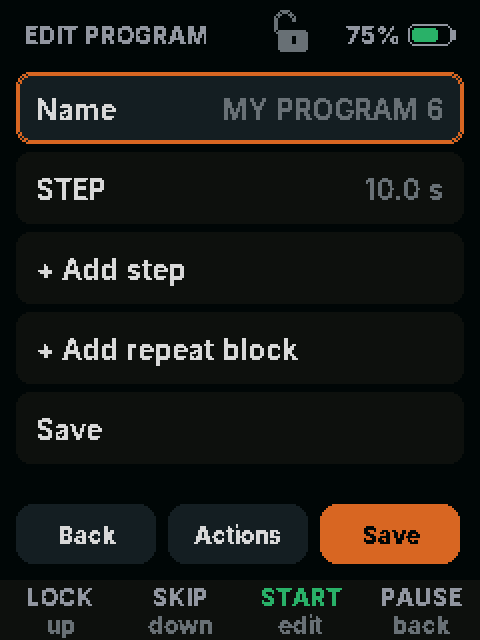
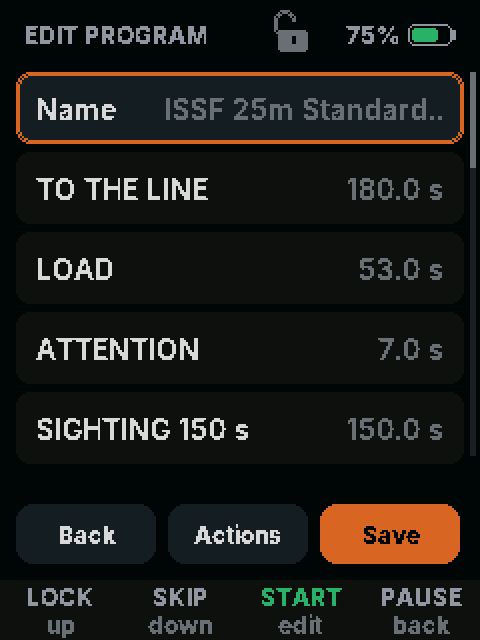
The editor lists the program name, then every step and block (steps inside a block are indented, blocks show “× repeats”), then + Add step, + Add repeat block and Save.
- START on a row (or a tap): edit it.
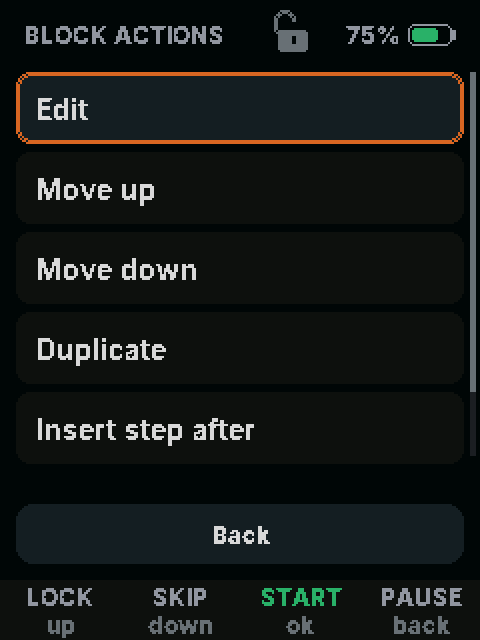
- Hold START on a step or block (or long-press it, or tap Actions): Edit, Move up, Move down, Duplicate, Insert step after, Delete (for a block: Delete block and its steps).
- Save (row or button) writes the program to memory and goes back to the list with “Saved”.
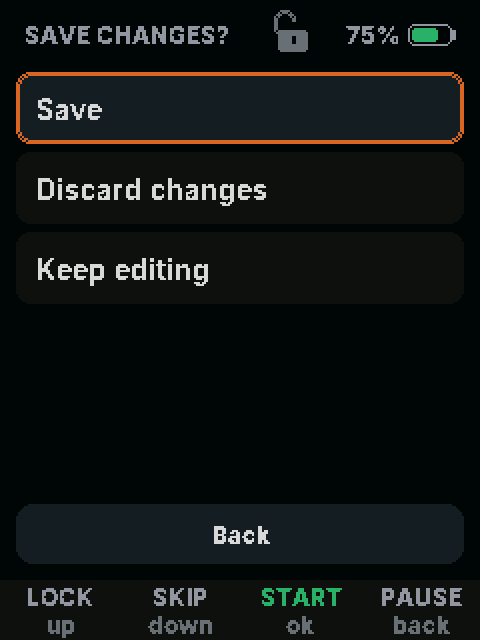
- PAUSE with unsaved changes asks Save changes?: Save, Discard changes or Keep editing.
Step settings
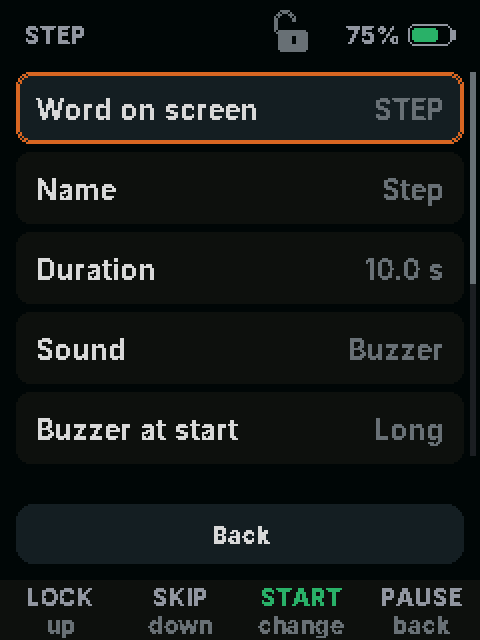
| Field | What it sets |
|---|---|
| Word on screen | The big word on the run screen, up to 16 characters, in capitals. Pick a preset word or Type text…. |
| Name | A longer name for the step (up to 32 characters), shown under the time. |
| Duration | 0.1 s to 99:00.0, in 0.1 s steps. Hold LOCK or SKIP to go faster: 1 s steps after 2 s, 10 s steps after 4 s. |
| Sound | Buzzer, Voice, Both or None. The rows below change with this choice. |
| Buzzer at start / Buzzer at end | None, Short, Long, Double, Triple or Continuous. |
| Countdown beeps | One beep per second during the last 1 to 10 seconds of the step (0 = off). |
| Voice clip | The range command to say, chosen from the list of 20 (chapter “Voice and language”). The timer plays it when you choose it. |
| Voice timing | At start (spoken as the step starts) or Lead-in (spoken so that it ends as the step starts). |
| Starts | Automatically when the previous step ends, or Wait for START. |
Preset words (English screen): FIRE, LOAD, ATTENTION, SIGHTING, REST, WORK, PAUSE, READY, GO, STOP, TO THE LINE, PREPARATION, WARM-UP, COOL-DOWN, UNLOAD, CHECK, PRESS START, STEP.
Repeat block settings
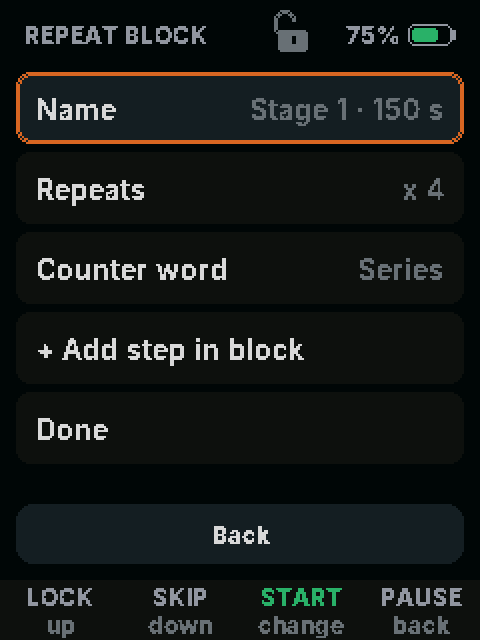
- Name
- Series, Stage 1–3, Rounds, Sighting, Match, or your own text (up to 24 characters).
- Repeats
- 1 to 99 runs of the block.
- Counter word
- Series, Round, Set, Stage or Lap, shown with the count during the run.
- + Add step in block
- Adds a step at the end of the block.
Typing text
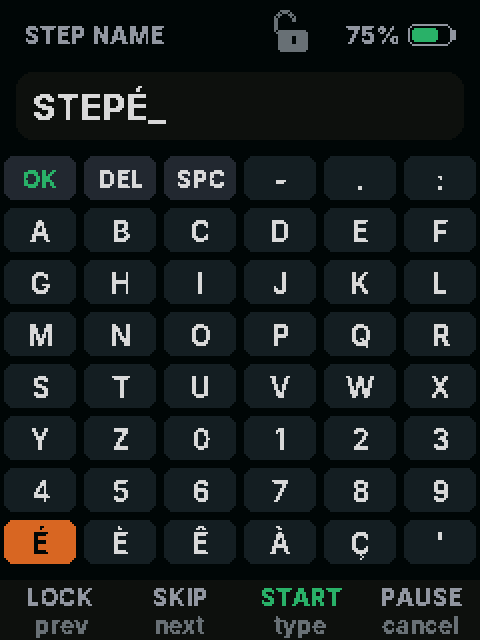
The keyboard has letters, digits, a few signs and the accented capitals É È Ê À Ç. With the keys: LOCK / SKIP move to the previous / next key, START types it, PAUSE cancels. By touch, tap the keys. OK confirms, DEL deletes the last character, SPC adds a space.
If saving fails
- Storage full: delete a program: the memory is full; delete a program you no longer need.
- List full: 20 programs already; delete one first.
- The program has no steps, Empty block, Too many steps: fix the program as the message says.
The timer writes the new file next to the old one and replaces it only when the write succeeded, so a failed save never damages the program you had.