
Voice and language
Screen language and voice language
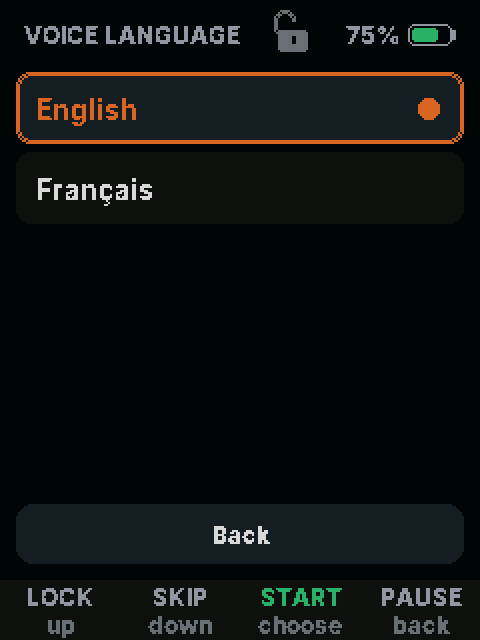
The screen and the voice each have their own language, English or French. At the first start, your choice sets both. After that:
- Settings › Langue / Language: the screen language (this row is always written in both languages, so you can find it).
- Settings › Voice language: the language of the spoken range commands. The timer says “Attention” in the new language.
For example, a French screen with English commands for an international match is fine. Program names and words you typed are not translated. Both settings can also be changed in the studio (Device tab).
The voice says range commands only
The RC-1 Touch speaks only shooting-range commands, the ones a program step uses, such as “Load”, “Attention”, “Fire” or “Cease fire”. Nothing else is spoken: countdown numbers, step names, menus, battery warnings, pairing and system messages appear on screen and use beeps.
A step says its command when its sound is set to Voice or Both and a voice clip is chosen, either as the step starts or as a lead-in that ends when the step starts.
The 20 range commands
| English | French |
|---|---|
| Call athletes to the line | Athlètes, sur la ligne |
| Preparation time starts now | Le temps de préparation commence maintenant |
| Load | Chargez |
| Load and make ready | Chargez et préparez-vous |
| Attention | Attention |
| Get ready | Préparez-vous |
| Ready | Prêt |
| Start | Commencez |
| Go | Partez |
| Fire | Feu |
| Pause | Pause |
| Stop | Stop |
| Cease fire | Cessez le feu |
| Unload | Déchargez |
| Unload and show clear | Déchargez et montrez l’arme vide |
| Sighting | Essais |
| Change targets | Changez les cibles |
| Check | Vérifiez |
| Time | Temps |
| Time is up | Le temps est écoulé |
The same clips play in the studio’s preview, so you hear exactly what the timer will say.
Voice settings
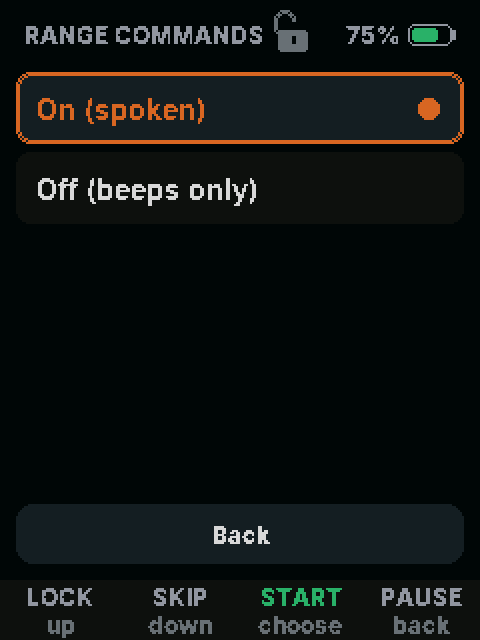
- Range commands
- On (spoken) or Off (beeps only). Off silences every spoken command at once; buzzer signals still sound.
- Voice volume
- 0 to 10 (default 7). 0 = no voice. The voice comes from the speaker on the back: do not cover the grille.
- Buzzer level and Buzzer tone
- The buzzer is separate from the voice: level 0 to 10 (default 6), tone 1500 to 5000 Hz (default 3200).
The voices
The voices are made with Piper text-to-speech. French voice: MLS dataset, CC BY 4.0. English voice: LJ Speech, public domain. The credits are also in Settings › About › Voices.